

Lights and shadows
A new scene has a Sun, a directional light at intensity 4 that casts shadows. To add another light, press Add Component on an entity and choose Light.
Kinds of light
Section titled “Kinds of light”Type is one of:
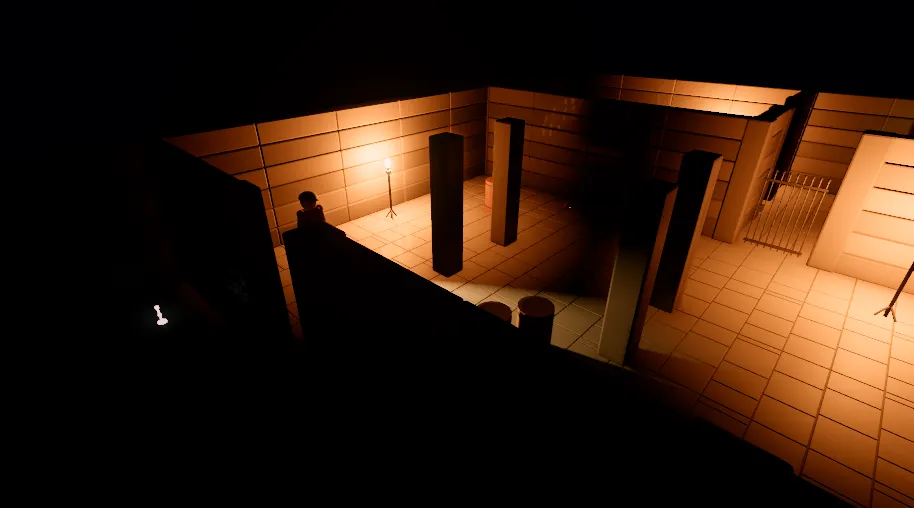
Directional: light from far away in one direction, like the sun or the moon. It shines along the entity’s forward axis (its -Z). Only the direction the entity faces matters, not where it is.Point: light from a point in every direction, like a bulb or a torch. It reaches as far as its Range.Spot: a cone of light from a point along the entity’s forward axis, like a flashlight or a stage light. Inner Angle is where the cone stops being at full strength, and Outer Angle is where it has faded out. Both are half the cone’s width, in radians, and start at 0.5 and 0.6.
Every light has a Color and an Intensity, which starts at 1 and has a slider up to 50. A point or spot light is brightest close up and fades smoothly to nothing at its Range (10 at first, in metres). Enabled turns a light off without removing it.
Each view takes up to 256 lights.
Shadows
Section titled “Shadows”A light casts shadows when its Casts Shadows is on. It is off for a new light, because shadows cost time; give them to the lights that need them. While it is on, the inspector shows the shadow settings:
- Shadow Strength: how dark the shadow is, from 0 (none) to 1 (full, the default).
- Shadow Normal Bias and Shadow Depth Bias Scale: if a surface the light grazes is covered in fine stripes or speckles of its own shadow, raise them a little. If a shadow comes away from the foot of the object that casts it, lower them.
The sun’s shadow
Section titled “The sun’s shadow”Only one directional light casts shadows: the first one with Casts Shadows on. Its shadow is split into four bands, finer near the camera and coarser far away. The scene’s settings say how far it reaches. Select the scene’s own row at the top of the hierarchy, and in the inspector, under Environment:
- Shadow Distance (300 m): how far from the camera shadows are drawn. A shorter distance gives sharper shadows, so set it no further than the game needs.
- Shadow Cascade Split (0.5): how the detail is shared out between the bands. Towards 1 puts more of it near the camera; 0 spreads it evenly.
- Shadow Fade Distance (40 m): the distance over which shadows fade out at the far end, so they do not stop at a hard line.
This light is also the sun you see in the sky: the sun’s disc and the Analytic sky follow its
direction. See Environment and post-processing.
Point and spot shadows
Section titled “Point and spot shadows”Point and spot lights share room for 16 shadows. A spot light takes one, and a point light takes six (one for each side of a cube). When more lights want shadows than there is room for, the lights whose reach comes nearest the camera get them, and the rest light without shadows.
Shadow Update saves time for lights that do not move:
Realtime(the default): the shadow is drawn every frame.Static: the shadow is drawn once, and again only when the light, or something within its reach, moves. Static lights have their own room for 16 shadows, separate from the realtime ones.
Ambient light
Section titled “Ambient light”Light also comes from the sky, and from the scene’s Ambient Color and Ambient Intensity, under Environment in the scene’s settings. See Environment and post-processing.